
Self-Hosting Ghostfolio App on Docker: A Step-by-Step Guide
Introduction
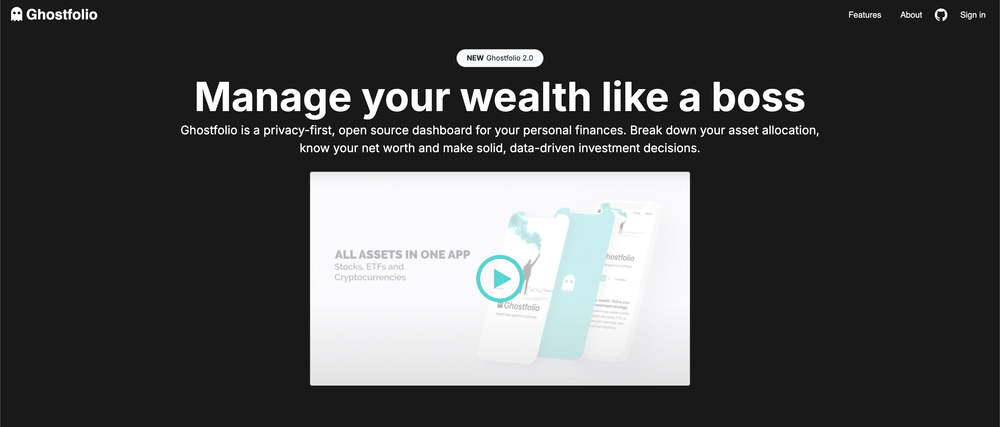
Ghostfolio is a privacy-first, open-source dashboard designed for managing your personal finances. In this guide, we'll walk you through the process of self-hosting Ghostfolio using Docker Compose.
About Ghostfolio
Ghostfolio Overview:
Ghostfolio serves as a comprehensive dashboard, allowing you to break down your asset allocation, understand your net worth, and make well-informed, data-driven investment decisions. Whether you're tracking stocks, ETFs, or cryptocurrencies, Ghostfolio is designed to empower users to refine their personal investment strategy.
Privacy-First Approach:
One standout feature of Ghostfolio is its privacy-first approach. It enables busy individuals to keep track of their financial portfolios without compromising their privacy. Ghostfolio ensures that you can manage your assets securely and confidently, free from external tracking.
Prerequisites
Before diving into the deployment process, ensure that you have Docker and Docker Compose installed on your system. You can find installation instructions on the official Docker website.
Docker Compose Configuration
Below is the Docker Compose file for setting up Ghostfolio:
version: '3.9'
services:

  ghostfolio-redis:
    image: redis:alpine
    container_name: ghostfolio-redis
    hostname: ghostfolio-redis
    security_opt:
      - no-new-privileges:true
    command: ['redis-server', '--requirepass', ${REDIS_PASSWORD}]
    healthcheck:
      test: ['CMD-SHELL', 'redis-cli --pass ${REDIS_PASSWORD} ping | grep PONG']
      interval: 10s
      timeout: 5s
      retries: 5
    user: 1000:1000
    environment:
      - TZ=America/Chicago
    volumes:
      - redis:/data
    restart: always

  ghostfolio-postgres:
    image: postgres:15
    container_name: ghostfolio-postgres
    hostname: ghostfolio-postgres
    security_opt:
      - no-new-privileges:true
    healthcheck:
      test: ['CMD-SHELL', 'pg_isready -d ${POSTGRES_DB} -U ${POSTGRES_USER}']
      timeout: 45s
      interval: 10s
      retries: 10
    user: 1000:1000
    volumes:
      - postgres:/var/lib/postgresql/data
    environment:
      - POSTGRES_DB=${POSTGRES_DB}
      - POSTGRES_USER=${POSTGRES_USER}
      - POSTGRES_PASSWORD=${POSTGRES_PASSWORD}
    restart: always

  ghostfolio-app:
    image: ghostfolio/ghostfolio:latest
    container_name: ghostfolio-app
    hostname: ghostfolio
    security_opt:
      - no-new-privileges:true
    user: 1000:1000
    environment:
      - DATABASE_URL=postgresql://${POSTGRES_USER}:${POSTGRES_PASSWORD}@ghostfolio-postgres:5432/${POSTGRES_DB}?connect_timeout=300&sslmode=prefer
      - NODE_ENV=production
      - REDIS_HOST=ghostfolio-redis
      - REDIS_PORT=6379
      - REDIS_PASSWORD=${REDIS_PASSWORD}
      - ACCESS_TOKEN_SALT=${ACCESS_TOKEN_SALT}
      - JWT_SECRET_KEY=${JWT_SECRET_KEY}
    ports:
      - 3333:3333
    depends_on:
      ghostfolio-postgres:
        condition: service_started
      ghostfolio-redis:
        condition: service_healthy

volumes:
  redis:
  postgres:
Understanding the Environment Variables
Let's revisit the essential environment variables, keeping in mind Ghostfolio's core features:
- REDIS_PASSWORD: This password secures the Redis server.
- POSTGRES_DB, POSTGRES_USER, POSTGRES_PASSWORD: Database configuration for PostgreSQL.
- DATABASE_URL: URL for connecting to the PostgreSQL database.
- NODE_ENV: Specifies the environment as production.
- REDIS_HOST, REDIS_PORT, REDIS_PASSWORD: Configuration for connecting to the Redis server.
- ACCESS_TOKEN_SALT, JWT_SECRET_KEY: Security keys for Ghostfolio.
Deployment Steps
- Download Docker Compose File:
Download the provided Docker Compose file (docker-compose.yml) to your server. - Configure Environment Variables:
Open the Compose file and replace the placeholder values in the environment variables section with your preferred settings. - Create Docker Volumes:
Create Docker volumes for Redis and PostgreSQL by running:
docker volume create redis
docker volume create postgres- Deploy Ghostfolio:
Run the following command in the directory where the Compose file is located:
docker-compose up -d- This command will pull the necessary images and start the Ghostfolio containers in the background.
- Access Ghostfolio:
After successful deployment, Ghostfolio will be accessible athttp://your_server_ip:3333.
Explore Ghostfolio on GitHub! 💻🚀
Dive into the source code, discover the latest features, and be part of the financial revolution.
🔍 Source Code: GitHub Repository
For questions, feedback, or to report issues, engage with the Ghostfolio community on GitHub. Your contributions are invaluable in making Ghostfolio even better for everyone!
Conclusion
Ghostfolio stands as a robust, privacy-focused solution for managing personal finances. By self-hosting Ghostfolio using Docker, you gain control over your financial data while benefiting from its powerful features. Follow the steps outlined in this guide to take charge of your financial portfolio securely and efficiently.